

Diskivo Free
€0- Mac status and monitoring
- Complete analyses
- Preview of every item
- Disk map
- First cleanup free
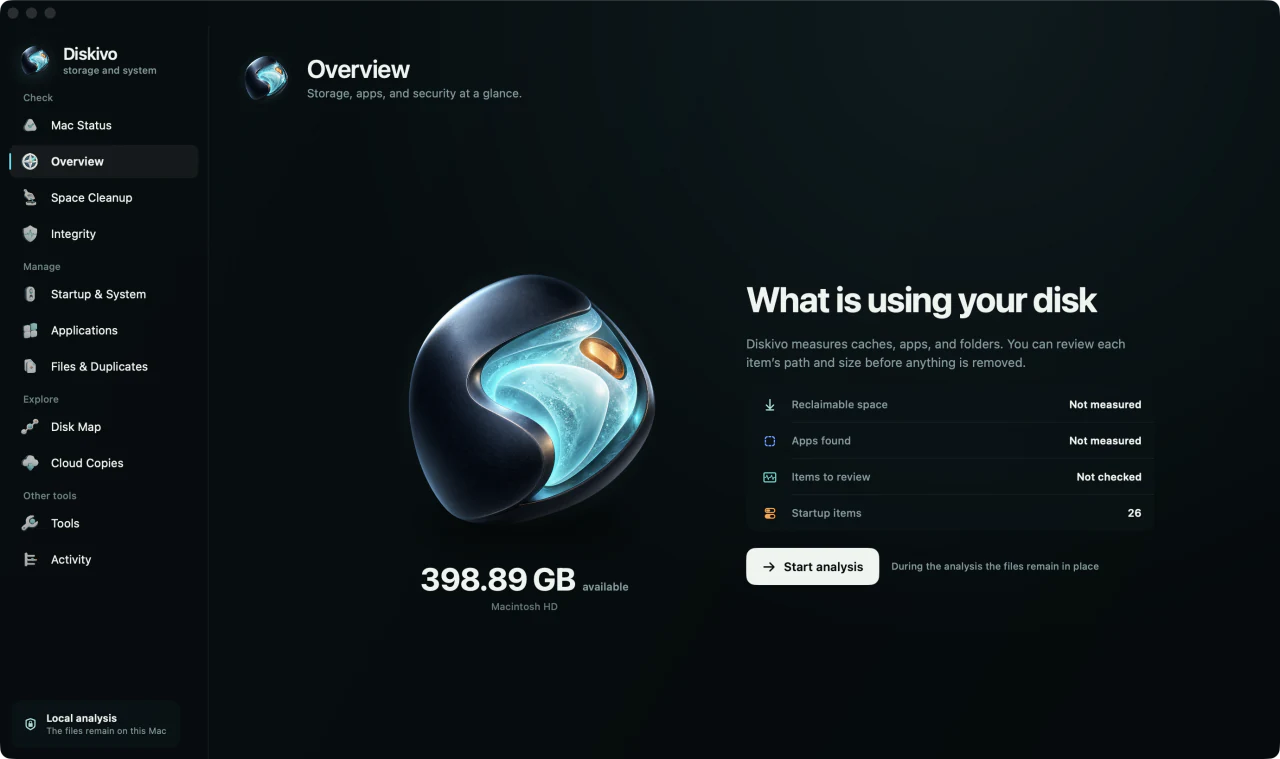
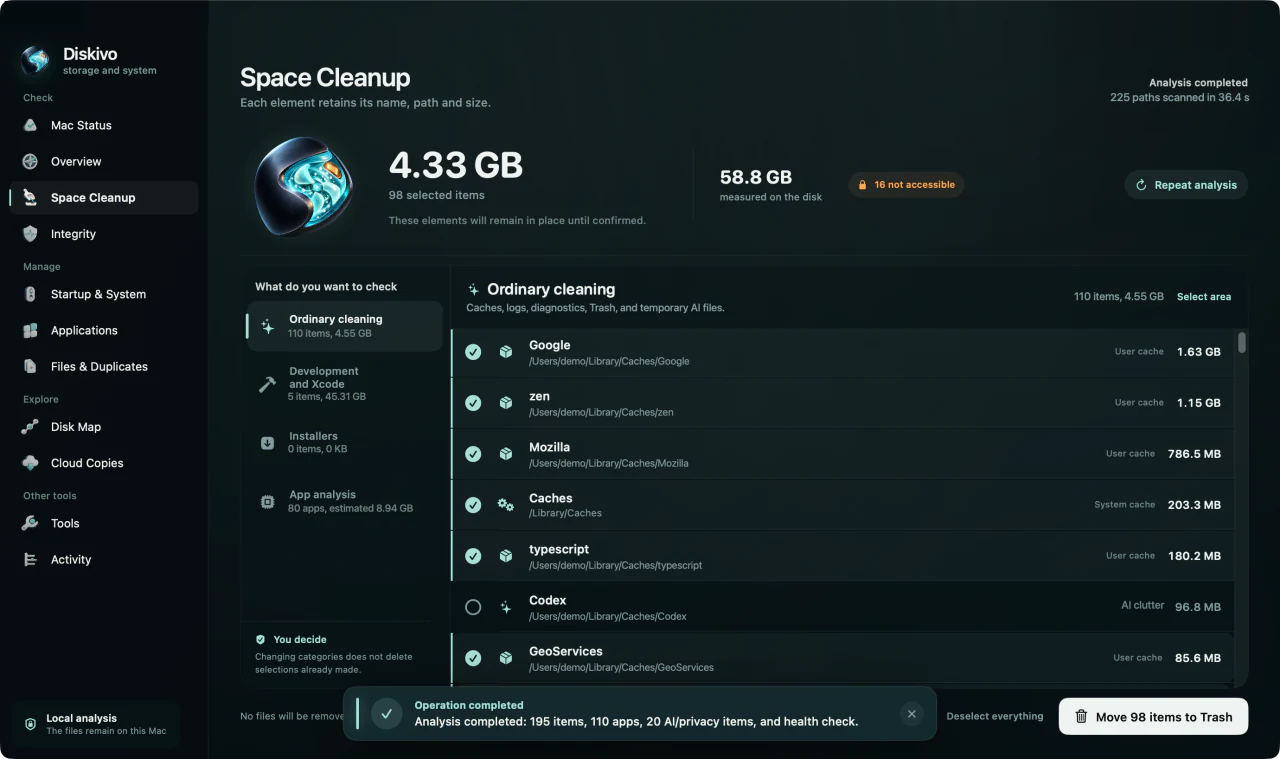
Diskivo finds caches, leftovers, and large files. Before cleaning, it shows the path, size, and source.
Scanning and removal are separate actions. Nothing moves until you confirm.
7 days of ProNo card required.
Local analysisFile names and paths stay on your Mac.
Review before confirmingCheck what will be moved, deleted or modified.
Every row tells you what was found, how large it is, and where it lives. You choose what to select.
Storage, protection, and startup activity share the same readable interface.
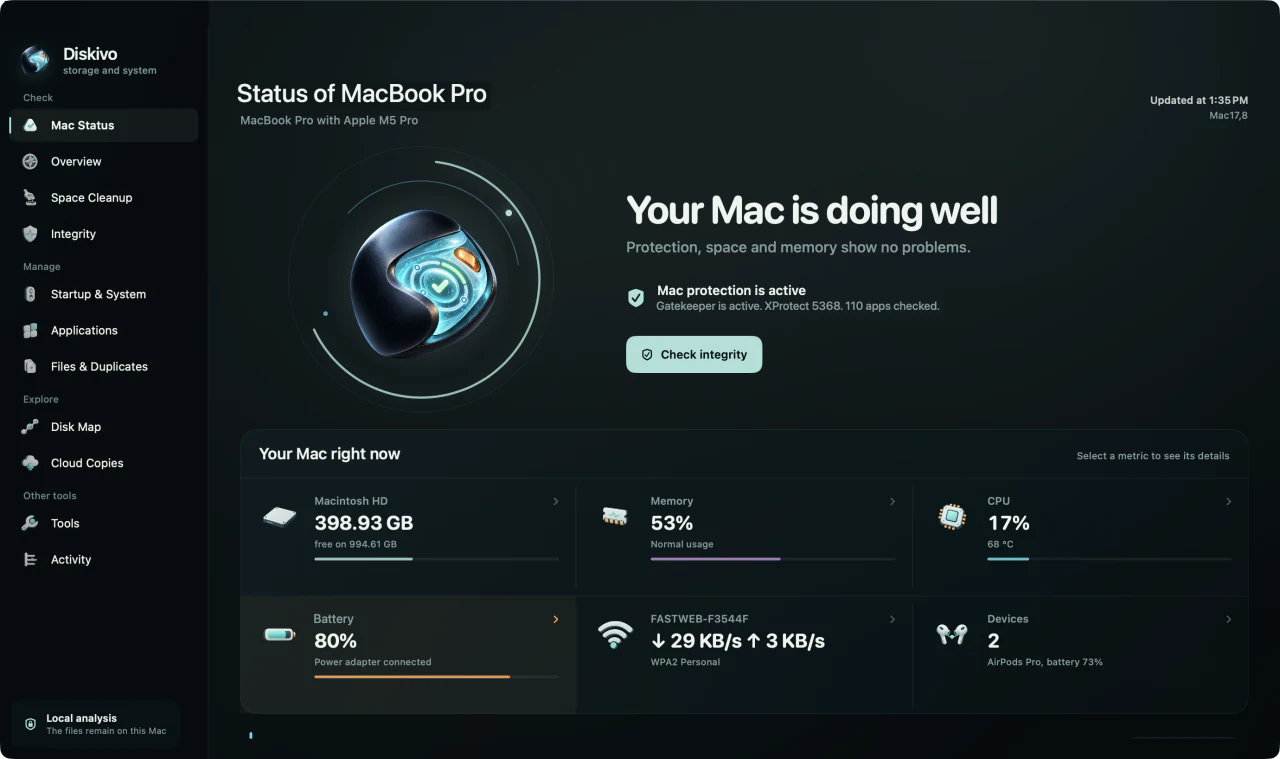
Storage, memory, CPU, battery, network, and connected devices.
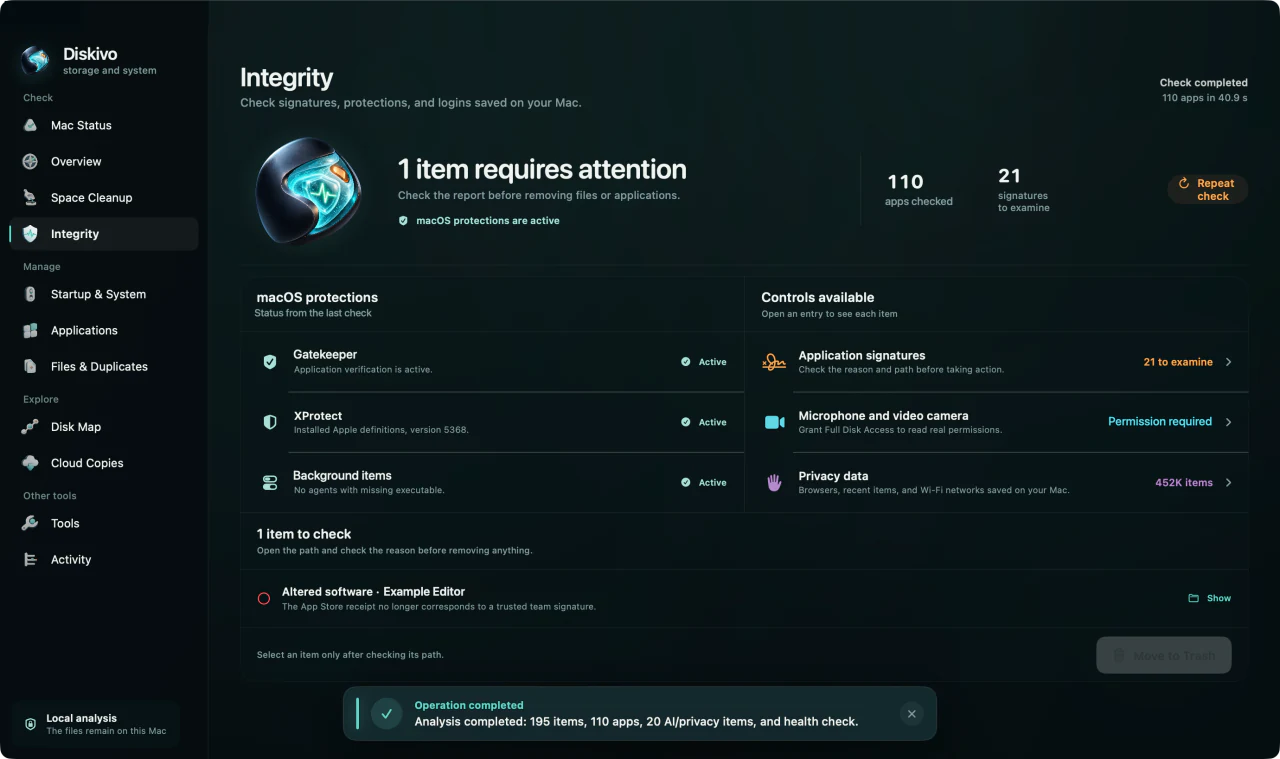
App signatures, sensitive access, and local data to review.
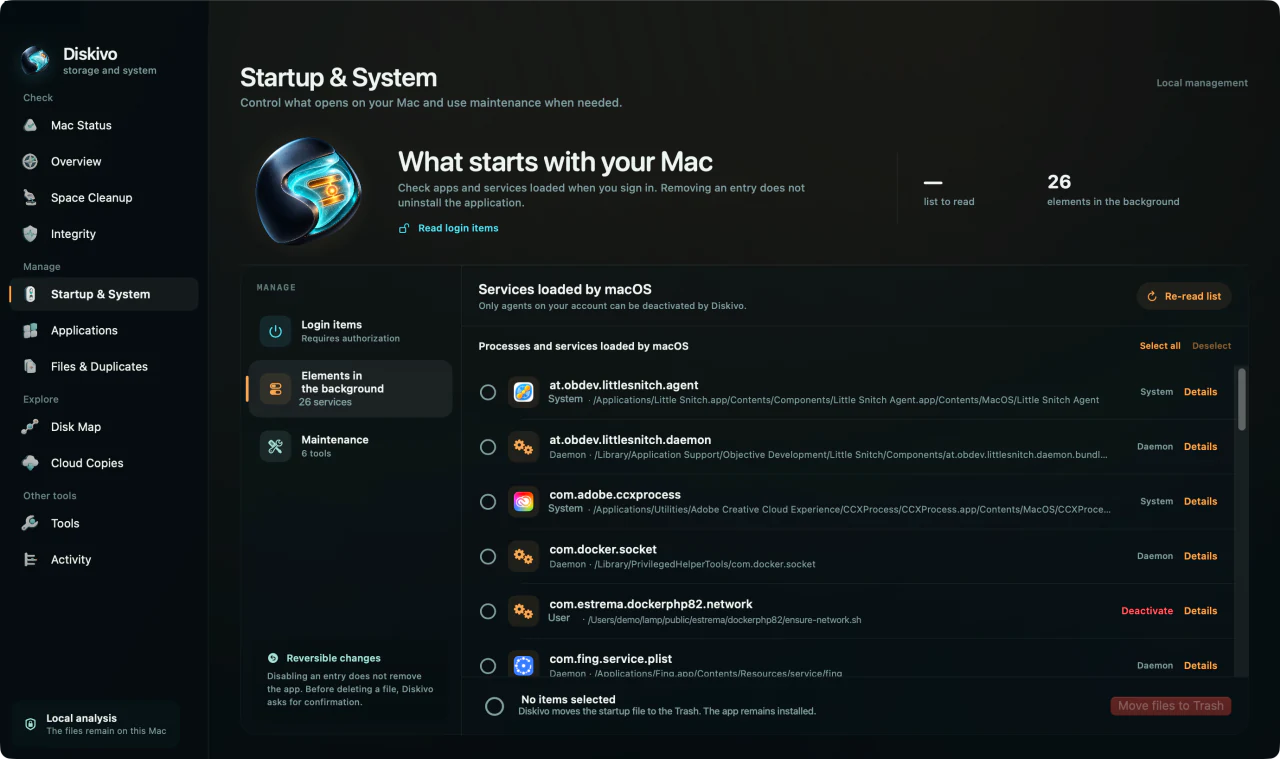
Login items and background processes remain separate.
Diskivo scans on the device. The network is used for licensing and updates, not to upload your file list.
Paths and results stay local
No account for the first analysis
Every removal shows what will change first
For unlimited removal, try Pro for seven days. No card is required.
Download Diskivo and activate the trial in the app. No card required.
Buy Pro annual planNo. Pro stays active for seven days without payment details. Diskivo then returns to the Free version.
The license remains valid for the major version you purchased. Future major versions may require a paid upgrade.
Only files moved to the Trash can be restored from it, until you empty it. Emptying the Trash and cleaning caches and logs with administrator privileges permanently delete files. Reducing universal binaries modifies apps. Review the action before confirming and keep a backup.
No. File names, paths, and scan results remain on your Mac.

Install Diskivo and check what is using your Mac before removing any file.
Download Diskivo